There’s a friction point in AI coding workflows that text can’t solve: some problems are inherently visual, structural, or spatial. Describing exact spacing, color balance, or layout proportions in words is inefficient. You end up playing telephone with your own intentions.
Claude Code’s new playground plugin addresses this by generating interactive HTML explorers. Sliders, dropdowns, and live previews replace prose.
The Communication Bandwidth Problem
Edward Luo framed it well: increasing communication bandwidth between humans and models is the key challenge for next-gen coding agents. CLI/TUI is great for agent execution, but not always the highest-bandwidth human-AI interface.
Text excels for:
- Clear specifications with known parameters
- Code changes with discrete before/after states
- Debugging with reproducible steps
Text fails for:
- Design exploration where you don’t know what you want
- Balancing interconnected parameters (game tuning, animation curves)
- Visualizing relationships in complex systems
The playground plugin adds a visual channel when text becomes a bottleneck.
How It Works
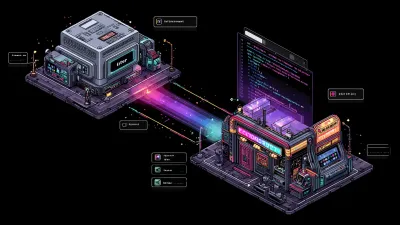
The plugin generates self-contained HTML files. One side has interactive controls (sliders, color pickers, dropdowns). The other side shows a live preview. At the bottom: a generated prompt you can copy back into Claude.
The loop:
- Ask Claude to create a playground for your problem
- Claude generates an HTML file and opens it
- You adjust controls, see changes in real-time
- When satisfied, copy the generated prompt
- Paste back into Claude for implementation
— Thariq, Claude Code teamThink of a problem that would benefit from a rich input space that benefits from exploration.
Six Modes
design-playground
Visual design decisions: components, layouts, spacing, color, typography.
Thariq’s example: “Use the playground skill to create a playground that helps me explore new layout changes to the AskUserQuestion Tool.”
The result is an HTML file with controls for padding, border radius, color schemes, typography scales. You dial in the design visually, then copy the finalized parameters back to Claude.
data-explorer
Data and query building: SQL, APIs, pipelines, regex.
Instead of iterating on a complex SQL query in text, you get a visual query builder. Adjust joins, filters, and aggregations with dropdowns. See the generated query update in real-time.
concept-map
Learning and exploration: concept maps, knowledge gaps, scope mapping.
Christine Zhu noted this use case for PMs: generate an architecture diagram of your product, then ask questions and make edits visually.
diff-review
Line-by-line code review with inline commenting. Navigate through changes, leave comments on specific lines, approve or reject hunks. The generated prompt captures your review decisions as structured feedback.
code-map
Codebase architecture visualization. Component relationships, data flow diagrams, dependency graphs. Useful for onboarding or understanding unfamiliar codebases before making changes.
document-critique
Document review with approve/reject/comment workflow.
Paste your writing, get inline suggestions. Accept, reject, or comment on each. The final prompt captures all your decisions.
/plugin marketplace update claude-plugins-official
/plugin install playground@claude-plugins-official
Real Use Cases from Thariq’s Article
Thariq shared several examples:
- Tweaking a Remotion intro: “Use the playground skill to tweak my intro screen to be more interesting and delightful” - visual controls for animation parameters
- Architecture visualization: “Use the playground skill to show how this email agent codebase works and let me comment on it”
- Game balancing: “Use the playground skill to help me balance the ‘Inferno’ hero’s deck” - sliders for damage values, cooldowns, resource costs
The pattern: high-dimensional configuration spaces where text iteration is slow.
When Not to Use It
The playground adds overhead. Don’t reach for it when:
- Text is sufficient: “Make the button blue” doesn’t need a visual explorer
- You know exactly what you want: Specific requirements don’t need exploration
- Speed matters more than precision: The playground loop takes time
If your prompt is clear and specific, text is faster. Playgrounds are for exploration, not execution.
The Copy-Prompt-Back Pattern
This is a new interaction paradigm worth noting. Instead of Claude generating final output, it generates an exploration tool. You configure visually, then feed the result back as a prompt.
It’s similar to codex:review in spirit: a second-pass tool that adds a different modality. Codex adds a different AI perspective. Playground adds a visual configuration layer.
Both break the single-prompt-to-output expectation. Both trade speed for precision.
The Bigger Picture
Text chat was the first AI interface. Voice is the second. Visual configuration might be the third: not for all tasks, but for the subset where spatial reasoning matters.
The playground plugin is a probe in that direction. Six modes, self-contained HTML, copy-prompt-back loop. Simple implementation, specific use cases.
Try it for your next design exploration or game balance session. When you find yourself iterating on the same parameters over and over, a playground might cut the cycle time in half.
Update: March 2026
Six weeks in, the playground plugin has hit 1,100 weekly installs across six platforms: Claude Code, Cursor, Codex CLI, Gemini CLI, GitHub Copilot, and opencode. The cross-platform reach is notable. The copy-prompt-back pattern works regardless of which AI coding tool you’re using.
Nathan Onn published a case study on redesigning a WooCommerce product page using the design-playground mode. Key finding: what previously took 10+ prompt iterations collapsed to a single pass in about 15 minutes. The visual configuration loop removed the back-and-forth entirely.
The plugin itself hasn’t changed since launch. No new modes, no feature additions. That’s either a sign of maturity or abandonment. Given the install numbers, it seems like the original scope was right: six focused modes covering the most common visual configuration problems. No feature creep.
Related Posts